
This is Wheelie Bike unblocked: the BMX balance game runs above, served from wheeliebike.org itself, so it plays in an ordinary browser tab on a school Chromebook, laptop or phone — free, with no download, and it keeps your best distance.
Wheelie Bike: one button and a lot of balance
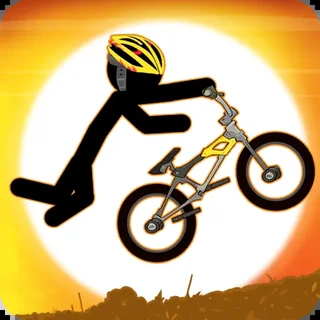
Wheelie Bike opens on a plain grey screen: the title in black speed-lined letters, a big round Play button, a trophy in the bottom-left corner and a red skull in the bottom-right. Press Play and a stickman in a helmet sits on a BMX over a red checkered road. A blue dashed line stands a little way ahead with two words next to it — press to wheelie. That is the whole tutorial.
There is only one control. Press and hold the mouse button, or your finger on a phone, and the rider pedals and hauls the handlebars up; the front wheel lifts and the bike balances on the back wheel. Let go and the front wheel starts to come down. Hold too long and the bike keeps rotating until the rider goes over backwards onto his helmet. Let go too long and the front wheel touches the road. Either way the run is over: a pink banner slides in with your distance and GAME OVER in red.
The number in that banner counts up while you hold the wheelie. The trophy in the corner keeps your best distance and the skull counts every crash. On the next run the road shows where things went: a red dashed line where your last wheelie ended and a yellow dashed line marked "best" for your record. Both numbers are saved in the browser, so they are still there when you come back to wheeliebike.org on the same device.
Controls & mechanics
| Action | Control | Purpose |
|---|---|---|
| Pedal and lift | Hold the left mouse button | The rider pedals and the front wheel rises for as long as you hold |
| Let the nose down | Release | The front wheel starts to drop; press again to catch it |
| Touch screens | Hold a finger on the game | Exactly the same: hold to lift, lift the finger to drop |
| Start / restart | Round Play button, blue arrow button | Play on the title screen, the rotating blue arrow after a crash |
| Keyboard | Not used | The game only reads the mouse and touch; arrow keys do nothing |
How to hold a longer wheelie
- Pulse, do not hold: A continuous hold keeps rotating the bike until it loops. Short presses of a third of a second, with short gaps between them, keep the front wheel hovering instead.
- Watch the angle, not the number: Keep your eyes on the bike. When the front wheel climbs past about the height of the rider's hands, let go; when it sinks toward the road, press.
- Catch it early: Once the nose is falling fast, one press is not enough to bring it back. Press as soon as it starts to drop, not when it is about to touch.
- Take the first lift slowly: The first press at the blue line decides the rhythm. A long first pull throws the bike too high; a short one lets you settle into the pulses.
- Use the lines as targets: The red dashed line is where your last run ended and the yellow one is your best. Aim for the red one first, then the yellow.
- Use a mouse if you can: A mouse button gives shorter, sharper presses than a trackpad click, and a phone screen is even quicker — pick what you can tap in a steady rhythm.
Key features
- One-button physics: Everything is in the timing of a single press: hold to lift, release to drop.
- Two ways to crash: Let the front wheel land or loop over backwards — the run ends either way.
- Best and last lines: A yellow dashed line marks your record and a red one your last run, right on the road.
- Saves on this device: Best distance and the crash count stay in your browser between visits.
- Served from this site: The HTML5 game is hosted on wheeliebike.org itself; no plugin, no third-party player.
- Light and quick: A small Construct game that starts in a couple of seconds, even on an entry-level Chromebook.
Game info
- Title: Wheelie Bike
- Developer: FG Studio
- Category: Bikes & Wheelies
- Platform: Web browser (HTML5)
- About the build: Wheelie Bike, HTML5 (Construct 2) · landscape · served from wheeliebike.org · mouse or touch · best distance and crash count saved in the browser
Pro tip: Wheelie Bike does not read the keyboard at all — the old instructions that mentioned arrow keys were wrong. Everything is the mouse button or a finger, so a steady rhythm of short presses is the whole skill.